
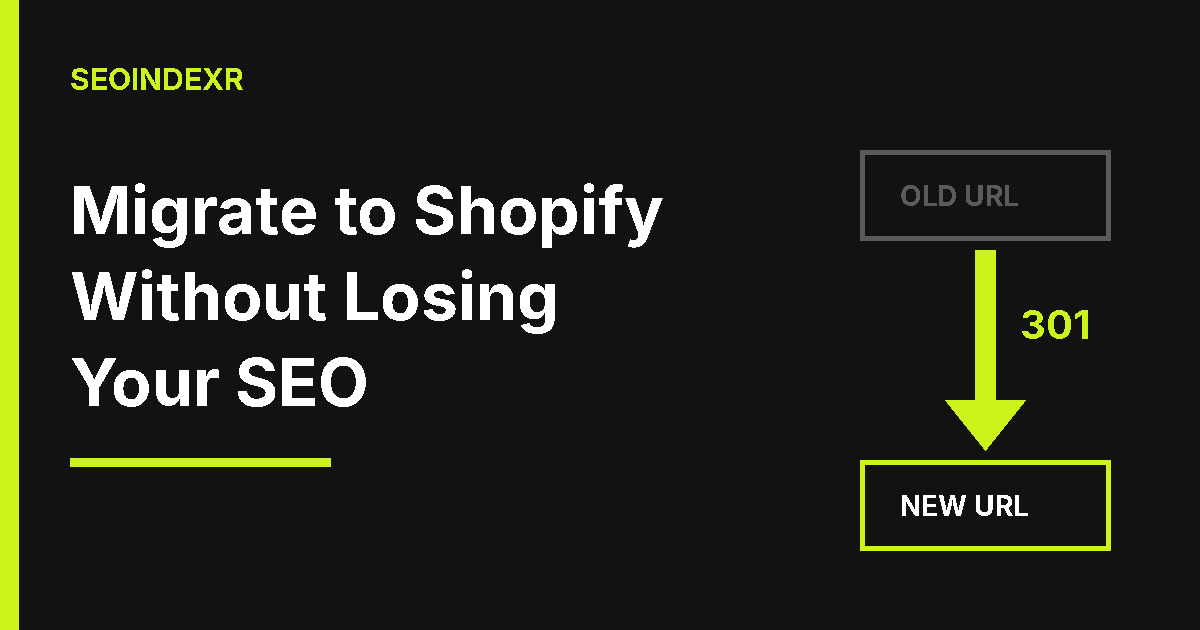
Shopify migration SEO comes down to one job: every old URL that earns traffic, sales or links has to 301 redirect to its exact new Shopify equivalent on launch day, and Shopify only honors a redirect when the old path returns a 404. Get that right, keep your titles, copy and internal links the same, and Shopify’s own SEO lead says traffic should recover within a few weeks for small sites and a few months for large ones. Get it wrong and you spend Q1 rebuilding rankings you already paid for.
Short on time? Free Shopify migration redirect check: send us your URL and we’ll flag the top organic pages that will break, or already have, when you move.
Table of Contents
ToggleWill migrating to Shopify hurt your SEO?
Yes, for a while. Any time URLs change, rankings wobble while Google recrawls. Google’s own site-move guide says that for medium-sized sites it can take a few weeks or more before Google starts showing the new URLs instead of the old ones, and larger sites take longer. That part is normal and temporary.
Shopify publishes a rough planning formula for revenue at risk: (share of traffic from SEO) × (share of SEO traffic that is non-branded) × 15% to 30%, lasting one to six months depending on page count. The same article says most migrations see declines of 10% or less.
In our view that formula is a fair budget for a clean migration. It assumes the redirects work. It says nothing about the store that forgets a third of them, imports a CSV that partly fails, or rewrites every product description during the move. Those are the migrations that don’t recover on schedule, and they’re the ones this guide is built to prevent.
Which kind of Shopify migration are you doing?
Diagnose before you plan. The steps, the risk and the Search Console work all change depending on what’s moving.
| Your situation | What changes | What it means for SEO | Change of Address tool? |
|---|---|---|---|
| New platform, same domain (e.g. WooCommerce or BigCommerce to Shopify, keeping yourstore.com) | URL paths only | Path-level 301s for every URL that ranks or has links | No. Google says page moves within your site just need redirects and updated sitemaps |
| New platform and new domain | Domain and paths | Highest risk. Redirects plus domain-level signals | Yes, for every verified variant (www, non-www, subdomains) |
| New platform plus redesign plus new category structure | Everything at once | Google warns you’ll probably see some traffic loss while it relearns your pages. Split the changes if you can | Only if the domain changes |
| Already launched and organic traffic is falling | Nothing yet, you’re diagnosing | Crawl the old URL list today. Our five checks for a traffic drop after a redesign apply almost one for one | Check it was submitted if the domain changed |
Already live? Match the symptom to the cause
- An old URL lands on Shopify’s “Page not found” screen. The redirect is missing, has a typo, or that CSV row failed on import.
- The redirect is saved in admin but never fires. A live page exists at the old path. Shopify states plainly that if the URL still loads a valid webpage, the redirect won’t work.
- Old URLs ending in .html or carrying query strings don’t redirect. Shopify documents both: query-string URLs might not work as expected, and a .html URL can’t be redirected to the same path without .html.
- A collection redirect that worked last month is gone. Someone set that collection’s Online store visibility back to Visible, and Shopify deletes the redirect automatically when that happens.
- Every old URL goes to the homepage. Someone took a shortcut. Google says redirecting many old URLs to one irrelevant page might be treated as a soft 404, so those pages pass nothing useful.
- Search Console’s Pages report shows a jump in “Not found (404)”. That’s mapping gaps. Google lists redirects to wrong or non-existent URLs as something it sees frequently in site moves.
- Pages redirect cleanly but still slipped. Compare old and new title tags, H1s and copy. Shopify warns that titles you don’t set reset to a fallback that may be less relevant.
We’ll test a sample of your highest-traffic old URLs against the live store and send back which ones are broken, chained or pointing at the wrong page. Request your free Shopify migration redirect check
How Shopify URL redirects actually work (the parts that trip people up)
Most migration guides say “set up 301s” and move on. The Shopify-specific rules are where stores lose rankings, so here they are from Shopify’s redirect documentation, each with why it matters.
- Where they live: Shopify admin > Content > Menus > View URL Redirects. Bulk upload sits under Import, using Shopify’s sample CSV template. Why it matters: always export the list after an import and compare it with your map, so a failed row doesn’t go unnoticed.
- They only fire on broken URLs. If any product, page or collection answers at the old path, the redirect is ignored. Why it matters: one placeholder page created during setup silently cancels the redirect for a URL that may carry years of links.
- The cap is 100,000 redirects, or 20,000,000 on the Plus plan. Why it matters: large catalogs with old variant, filter and pagination URLs can hit it, so you need a priority order before you start.
- Some paths can’t be redirected at all, including URLs starting with /apps, /cart, /orders, /services or /shop, and collection tag-filter URLs. Why it matters: if your old platform used any of those patterns, you need another plan for them.
- Shopify’s URL patterns are fixed. Products live under /products/, categories under /collections/, and blog posts under /blogs/blog-name/article-title. Why it matters: almost every old category and blog URL will change, so almost all of them need a row in your map.
- Changing a live product’s URL adds its own 301. Per Search Engine Journal, editing a published product’s URL creates an automatic redirect. Why it matters: renaming handles after launch stacks a second hop on top of your migration redirect. Settle handles before go-live.
- 301s get cached. Shopify notes browsers and search engines cache them, so a wrong redirect can keep firing after you delete it. Why it matters: test before you import, not after.
Shopify migration SEO checklist: before, during and after launch
| Phase | Task | Why |
|---|---|---|
| Before | Crawl the old site and export titles, meta descriptions, H1s, canonicals and internal link counts | This is your baseline. Without it you can’t prove what changed |
| Before | Add URLs from the Search Console Performance report, GA4 organic landing pages, your XML sitemap and the Search Console Links report | Crawlers miss orphan pages that still rank and pages only external sites link to |
| Before | Include images, PDFs and size guides | Google says embedded files need to be moved the same way as all other content |
| Before | Map every old URL to one new URL. Discontinued items go to the closest collection, or return a deliberate 404/410 | One-to-one mapping passes relevance. Homepage dumping doesn’t |
| Before | Carry product structured data over and confirm it renders on the new theme | Price, availability and review markup feed rich results and AI shopping answers. See our AI search visibility (GEO) services if that channel matters to you |
| Launch | Import the redirect CSV, remove the store password, point DNS | Redirects should be live the moment Google can reach the new store |
| Launch +1 hour | Crawl the old URL list in list mode. Every row should be one 301 hop to a 200 | Google advises redirecting to the final destination directly, not through chains |
| Week 1 | Submit the new sitemap (yourstore.com/sitemap.xml), and submit Change of Address only if the domain changed | Speeds up discovery of the new URLs |
| Weeks 1 to 8 | Check Search Console daily for new 404s and for new URLs stuck out of the index | If products aren’t getting indexed, use our guide to reading each Search Console status on Shopify |
| Year 1+ | Keep every redirect live | Google says keep them generally at least 1 year, and consider keeping them indefinitely for users |
How we’d fix this: the SEOIndexr process
This is the order we work in on a Shopify migration, whether it’s still in planning or already live and leaking traffic.
- We start by building the URL inventory from four sources, not one. A full crawl, the Search Console Performance export of every page with clicks or impressions, GA4 organic landing pages, and the Search Console Links report for pages other sites link to. A crawl alone misses orphaned pages that still bring in buyers.
- We rank every URL by organic revenue and clicks. Mapping time goes where the money is, and if a big catalog is near Shopify’s 100,000 cap, we already know which rows matter most.
- We map one to one and flag anything Shopify can’t redirect natively. Query-string URLs, .html collisions, reserved paths and tag-filter URLs each get a decision before launch. On a domain change, that can mean handling redirects at the edge, which Shopify itself suggests with services like Cloudflare Bulk Redirects.
- We carry over on-page elements field by field. Titles, meta descriptions, H1s, body copy and structured data, then we diff a staging crawl against the old crawl. Shopify’s guide lists changed titles and forgotten redirects among the most common migration mistakes.
- We test the redirect file before it goes anywhere near production. We check for blank cells, trailing spaces, chains (an old URL pointing at another old URL) and destinations that don’t exist yet, because a 301 into a 404 helps nobody.
- On launch day we import, then crawl the old list straight away. Every row must return a single 301 to a 200. We export Shopify’s redirect list and compare the row count with the map to catch silent import failures.
- For eight weeks we watch the Pages report and the Performance report filtered to new URLs. New 404s get fixed the same day, internal links get updated to point straight at new URLs, and we contact the highest-value referring sites to update their links.
Want us to run steps 1 to 3 on your store? Send us your URL and we’ll show you what your redirect map is missing.
Common mistakes that make a Shopify migration worse
- Creating placeholder pages at old paths. It feels tidy during setup. It also blocks the redirect, because Shopify won’t redirect a URL that loads.
- Changing the platform, the design and the category tree at once. Google explicitly recommends changing only one thing at a time. Do all three together and, when traffic drops, nobody can tell which change caused it.
- Launching in Q4. Shopify recommends migrating at least six months before your busy season or immediately after it. With Black Friday this week, any store planning a December cutover should push it to January.
- Deleting redirects after 90 days to “clean up”. Google wants them live for at least a year, and stores that used Change of Address must keep them for at least 180 days, longer if Search still sends traffic to them.
- Unhiding a hidden collection. Shopify auto-deletes the redirect when visibility flips back to Visible. Seasonal stores hit this every year.
- Letting the importer app decide the handles. Migration apps typically build handles from product titles. If your old slugs differed, your map is now wrong. Lock handles first, then build the map.
- Trusting the import screen. A green “complete” message doesn’t prove every row landed. Export the redirects after import and count them.
A worked example: what a missed redirect batch costs
Hypothetical numbers, for illustration only. A home goods store in Columbus, Ohio moves from WooCommerce to Shopify on the same domain. It does $90,000 a month in revenue. 30% of traffic is organic, and 60% of organic traffic is non-branded.
Planned dip, using Shopify’s formula: 30% × 60% × 15% = 2.7%, and 30% × 60% × 30% = 5.4%. That’s $2,430 to $4,860 a month of revenue at risk for one to six months. Annoying, survivable, and worth planning cash around.
The botched version: the store has 4,000 old URLs and the redirect file misses 1,200 of them, mostly old category and blog URLs. Assume organic revenue tracks organic traffic, so organic drives about $27,000 a month (30% of $90,000). If those 1,200 URLs earned 25% of it, that’s $6,750 a month exposed on top of the normal dip. If nobody checks until the quarterly review three months later, that’s $20,250 gone. Catching it on launch day takes one list crawl and an afternoon of mapping.
That gap, $20,250 against an afternoon, is the whole argument for testing redirects the hour you launch.
DIY or get help?
You can do this yourself if your store has a few hundred URLs, you’re keeping the same domain, your product names aren’t changing, and someone on the team can run a crawler and work a spreadsheet. Follow the checklist above, crawl the old list on launch day, and you’ll be fine.
It’s worth bringing in help when any of these are true:
- More than about 1,000 URLs get organic clicks, or you’re near Shopify’s redirect cap.
- You’re changing domains at the same time.
- Old URLs use query strings, .html endings or paths Shopify reserves.
- Organic search drives enough revenue that a 5% dip would hurt payroll.
- You already launched and traffic hasn’t come back after a month.
If you’re comparing providers, read our breakdown of what an SEO audit should cost and include and the questions to ask an SEO agency before hiring, then send us your store for a free redirect check.
Shopify migration SEO FAQs
Will migrating to Shopify hurt my SEO?
Temporarily, yes. Any URL change causes ranking fluctuation while Google recrawls. With complete one-to-one 301 redirects and unchanged on-page content, Shopify says most migrations see declines of 10% or less that recover over weeks to months.
How long does SEO take to recover after a Shopify migration?
Shopify estimates one to six months, depending on how many pages you have and how much of your traffic is non-branded. Google says medium sites can take a few weeks or more for new URLs to replace old ones. If you’re still down after two months, look for missing or wrong redirects first.
How many redirects can Shopify handle?
Standard plans allow up to 100,000 URL redirects. The Plus plan allows up to 20,000,000. If you’re near the cap, prioritize URLs by organic revenue and backlinks.
Do I need Google’s Change of Address tool when moving to Shopify?
Only if your domain changes. A platform switch on the same domain is a path change, and Google says that just needs redirects and updated sitemaps. If the domain does change, submit it for every verified variant of the old domain.
Why isn’t my Shopify redirect working?
Usually because a live page still exists at the old URL, and Shopify only redirects broken URLs. Other causes are typos, reserved paths like /cart or /apps, query strings, .html endings and an old redirect cached in your browser.
For US ecommerce stores planning a move to Shopify, or already moved and watching organic traffic slide.
- Whether your top organic URLs return one clean 301 to a live page
- Old URL patterns Shopify can’t redirect natively (query strings, .html, reserved paths)
- Title and H1 changes on your highest-earning product and collection pages
Send us your URL and we’ll reply by email with what we found and what we’d fix first. No obligation.
Get my free redirect check or email seoindexr@gmail.com